Change your iTunes media view mode
In one of the newer iTunes releases, the interface changed quite a bit. One option that moved was the playlist view mode. This post describes how to change it.
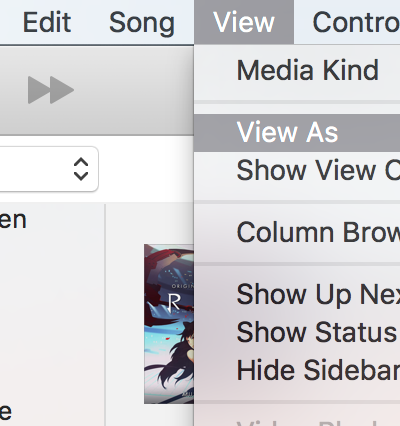
The newer version defaults playlist views to “Playlist,” which is probably fine for most people, but I prefer the simpler “Songs” view since it shows everything as a list without focusing on cover art.
To change this, click View > View As > Songs. Once selected, your playlist should display as a simple list of songs.