Installing Git and GitHub on your Mac
Update in progress: This post is based on an older setup and is being kept for reference while I work on a fuller update.
This post describes a few older ways to install Git and GitHub tools on a Mac. Two common methods are outlined below. Please note that the first method requires Homebrew.
Installing with Homebrew
To install Git, run the commands below and enter your information when prompted. brew update and brew upgrade are included here as part of a typical update workflow before installing packages.
brew update
brew upgrade
brew install git
brew install git-gui
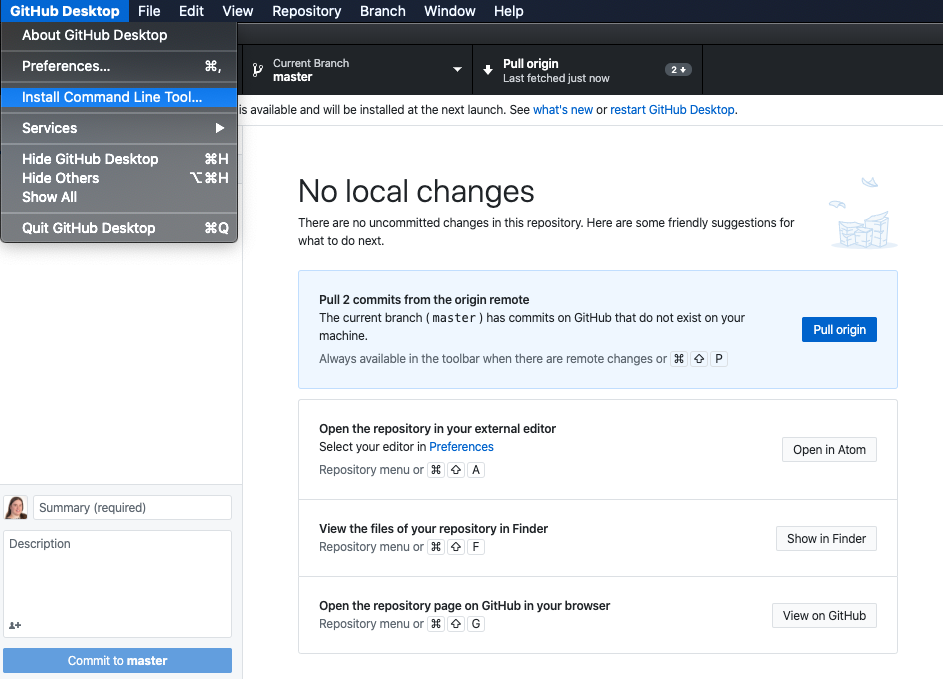
If you use GitHub, you can also install the GitHub Desktop cask by running the command below in your terminal. Once installed, open the app and choose Install Command Line Tool from the menu.
brew install --cask github
Installing with DMG files
You can also download a DMG installer. For Git, this post originally used the official binary installer on SourceForge.
Alternatively, if you use GitHub, you can download the GitHub Desktop DMG and install the Git command line tools from within the app.
To install the Git command line tools from GitHub Desktop, click the app name GitHub Desktop, then choose Install Command Line Tool.